Sides. Redesign for a restaurant B2B SaaS
Initial challenge.
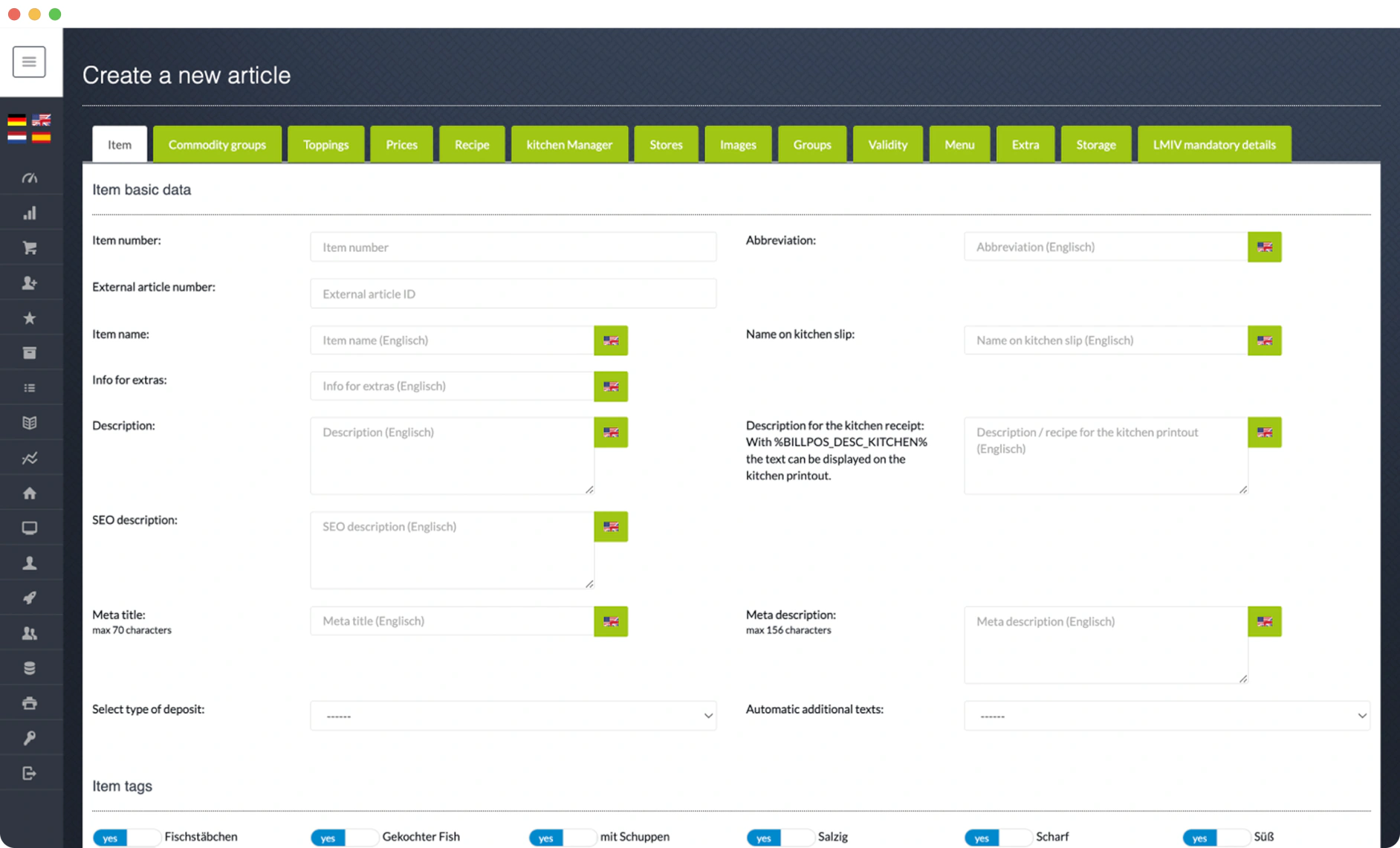
The product existed for 10 years, and as it grew, it became too complex. This lowered adoption and greatly increased the time to value.
What we did.
Our goal was to simplify the interface to reduce time to value while keeping the functionality. We partnered with the customer support team to identify customer pain points and simplify the user experience.
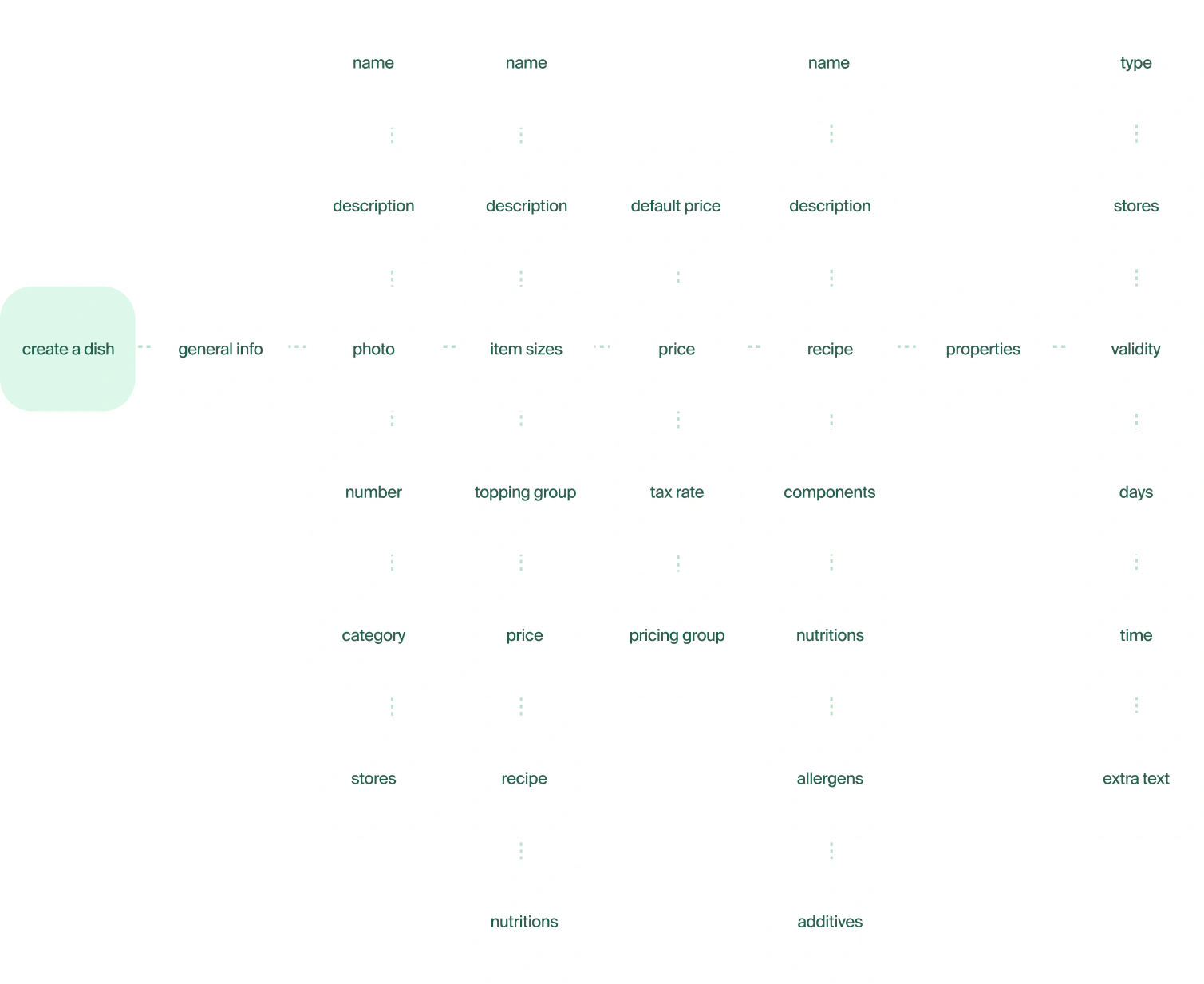
User flow.
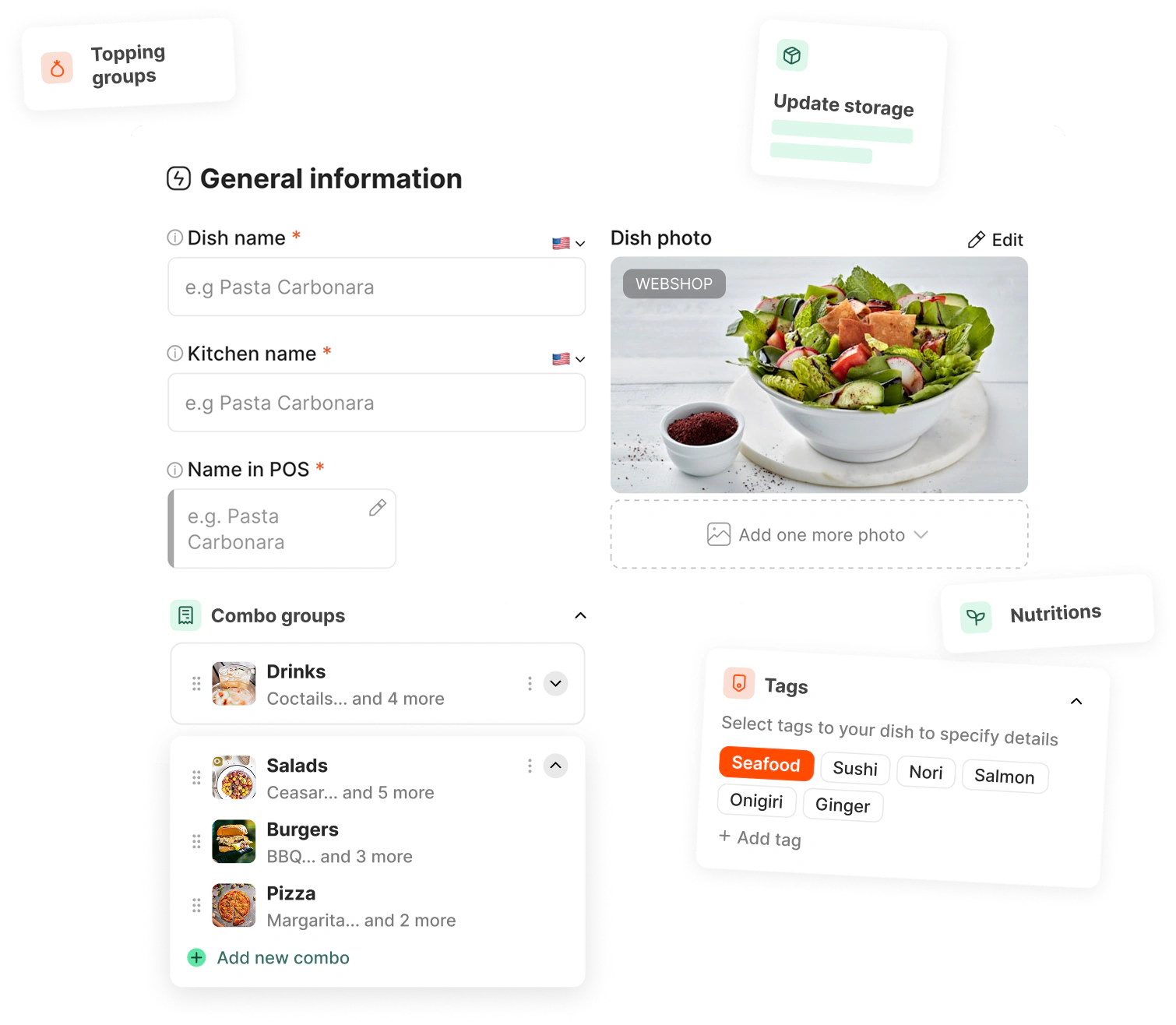
After the discovery stage we created a new flow of adding a dish to the system. The idea was to allow users to add a dish and everything related to it on one screen. This fixed the problem of having to go back and forth to add all the details to your dish.
Onboarding.
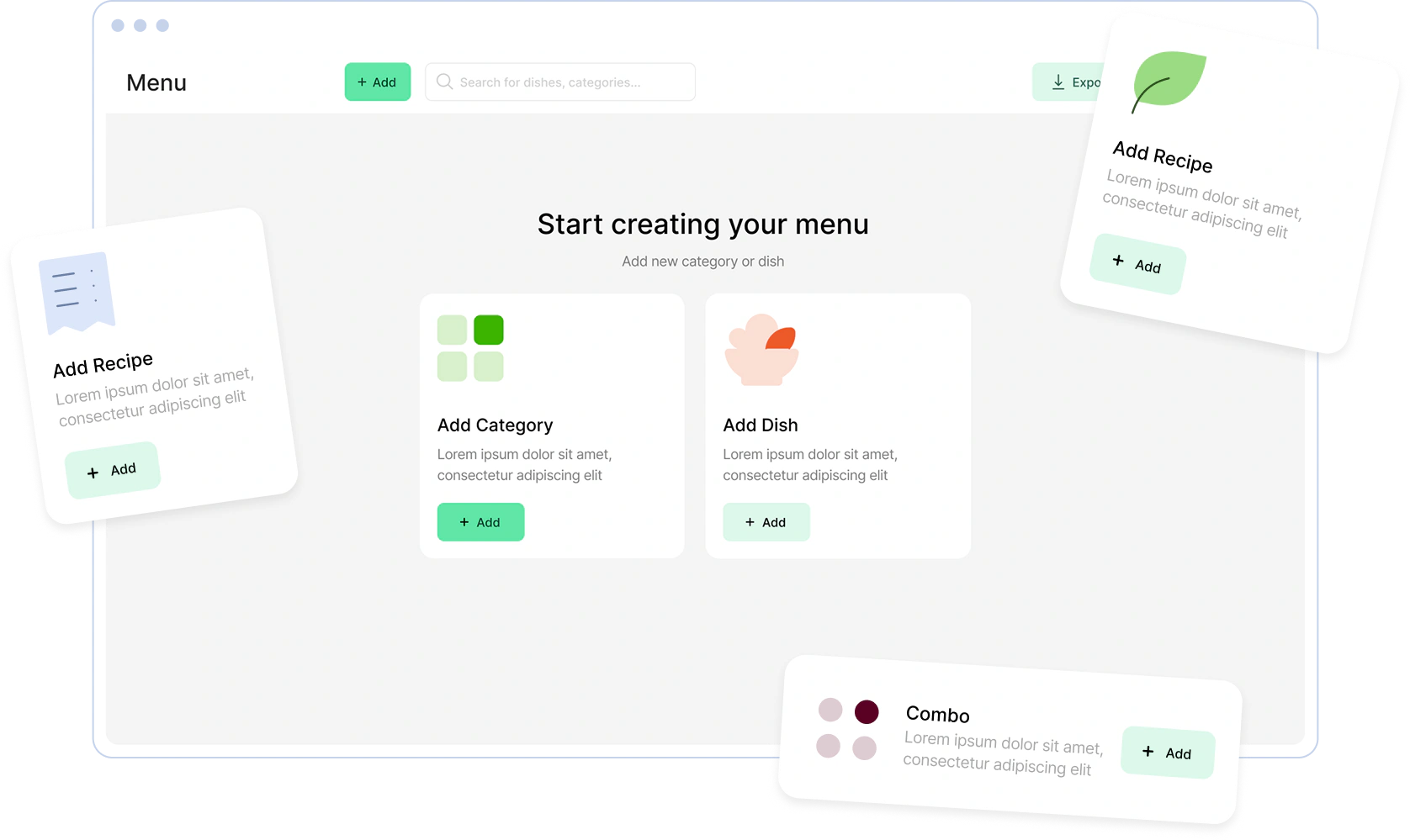
We added helpful tips in the onboarding to guide users on where to start and what to do next. It was part of the solution to reduce time to value.
Dish creation.
Now users can create a dish and add everything related to it on one screen. This solved the inefficiency problem of going back and forth to add all the details.
Main dashboard.
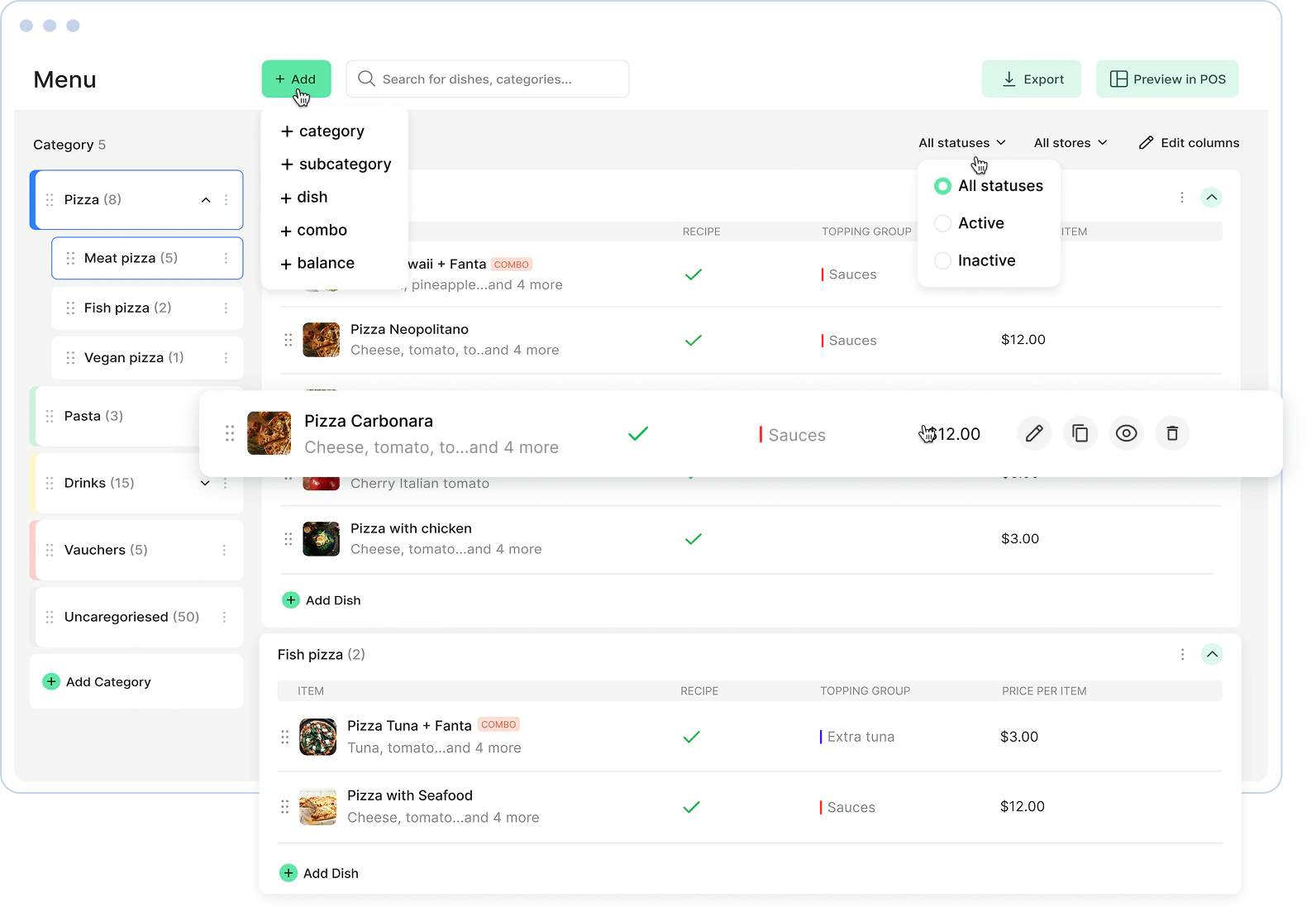
We simplified the dashboard by making a clear structure and adding customizable columns and bulk actions. It made item management more efficient and adaptable to different needs.
Search.
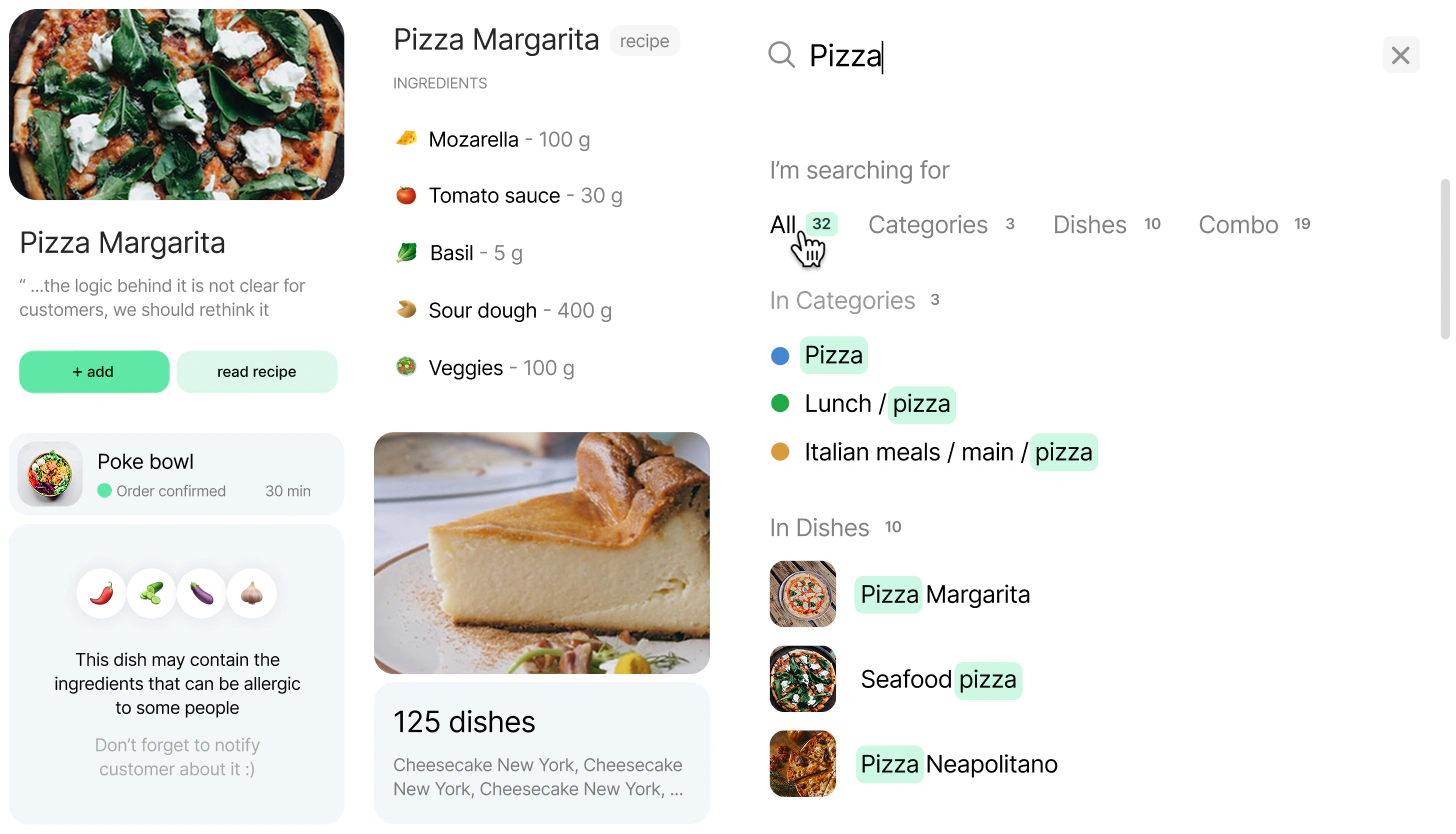
Our main goal was to make the design user-friendly and modern, so we decided to use rounded shapes, a light background with new accent colors to highlight some important things.
Mobile version.
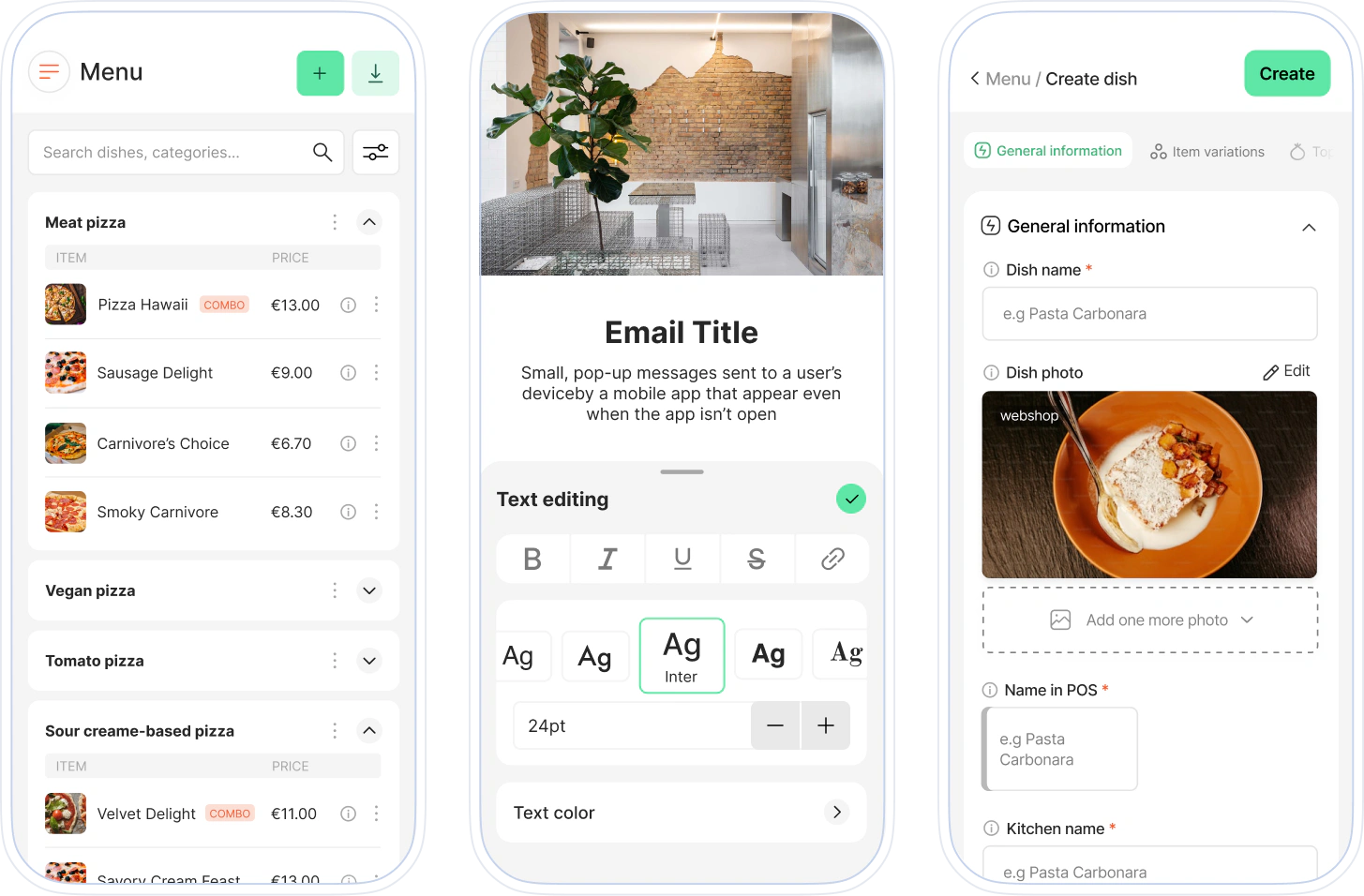
About 20% of customers used the platform on mobile, so we adapted the platform to make information easy to access, update, and manage.
Price management.
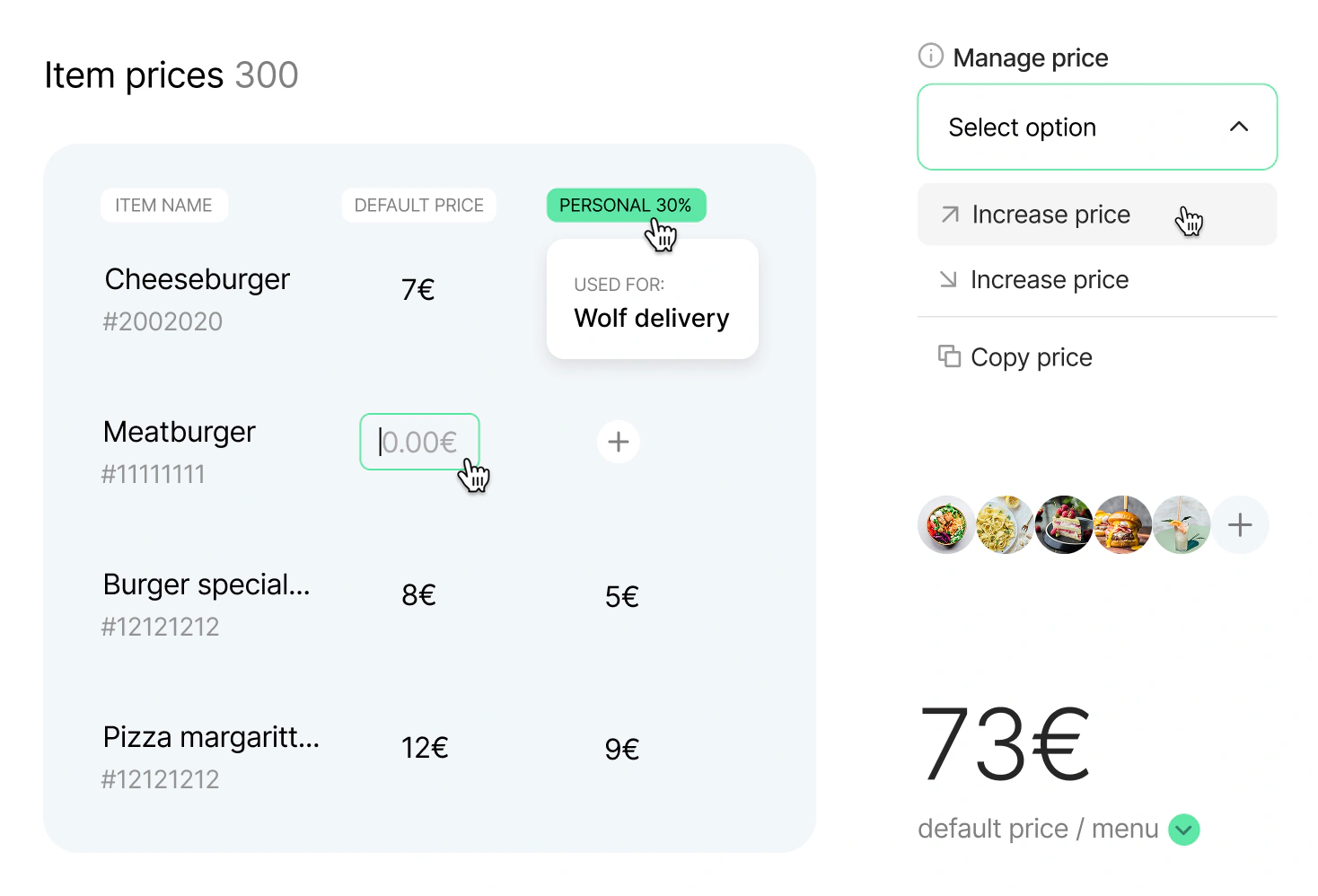
With multiple pricing conditions, we created a simple table view that allows instant edits. This streamlined both editing and overview.
Sub-products design.
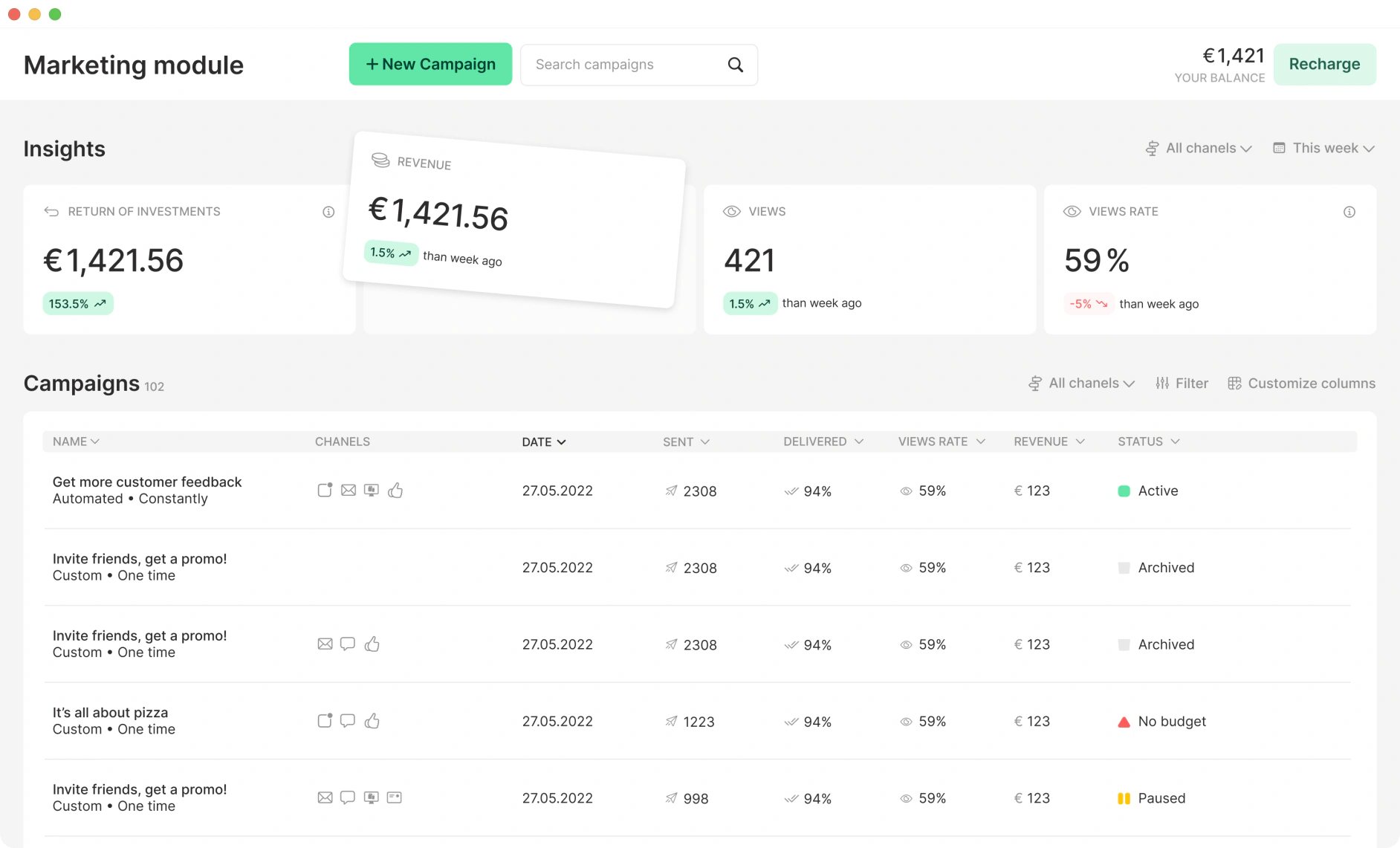
We also designed MVPs for key sub-products, including a marketing module and QR code payment. These designs helped the client quickly test ideas, gather feedback, and introduce standout features to retain customers and attract new ones.
Marketing module.
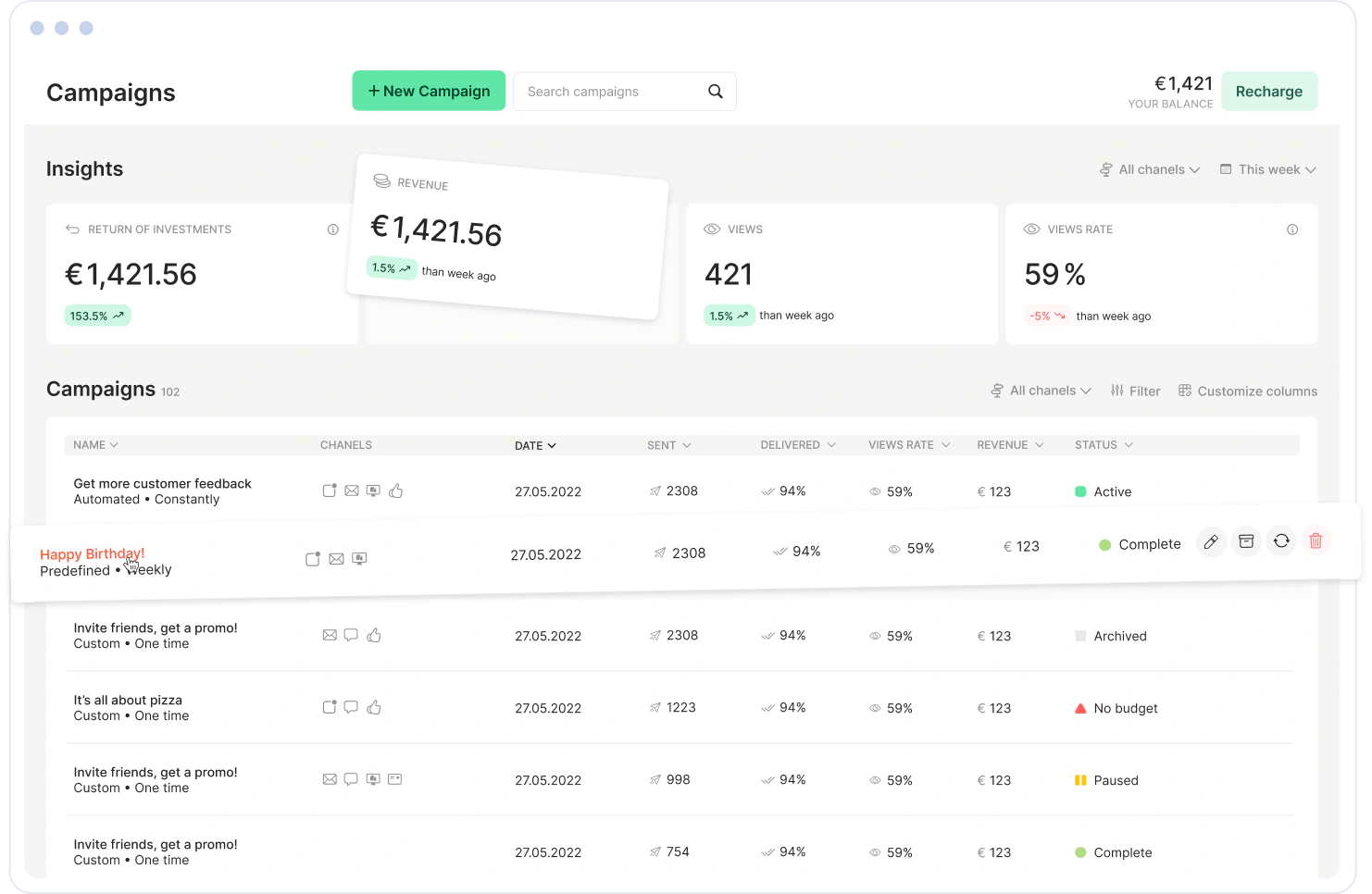
Many customers used another platform to create marketing campaigns, which required switching between two different products. To solve this, we introduced a sub-product that lets users manage all their campaigns in one place.
Setting up Audiences.
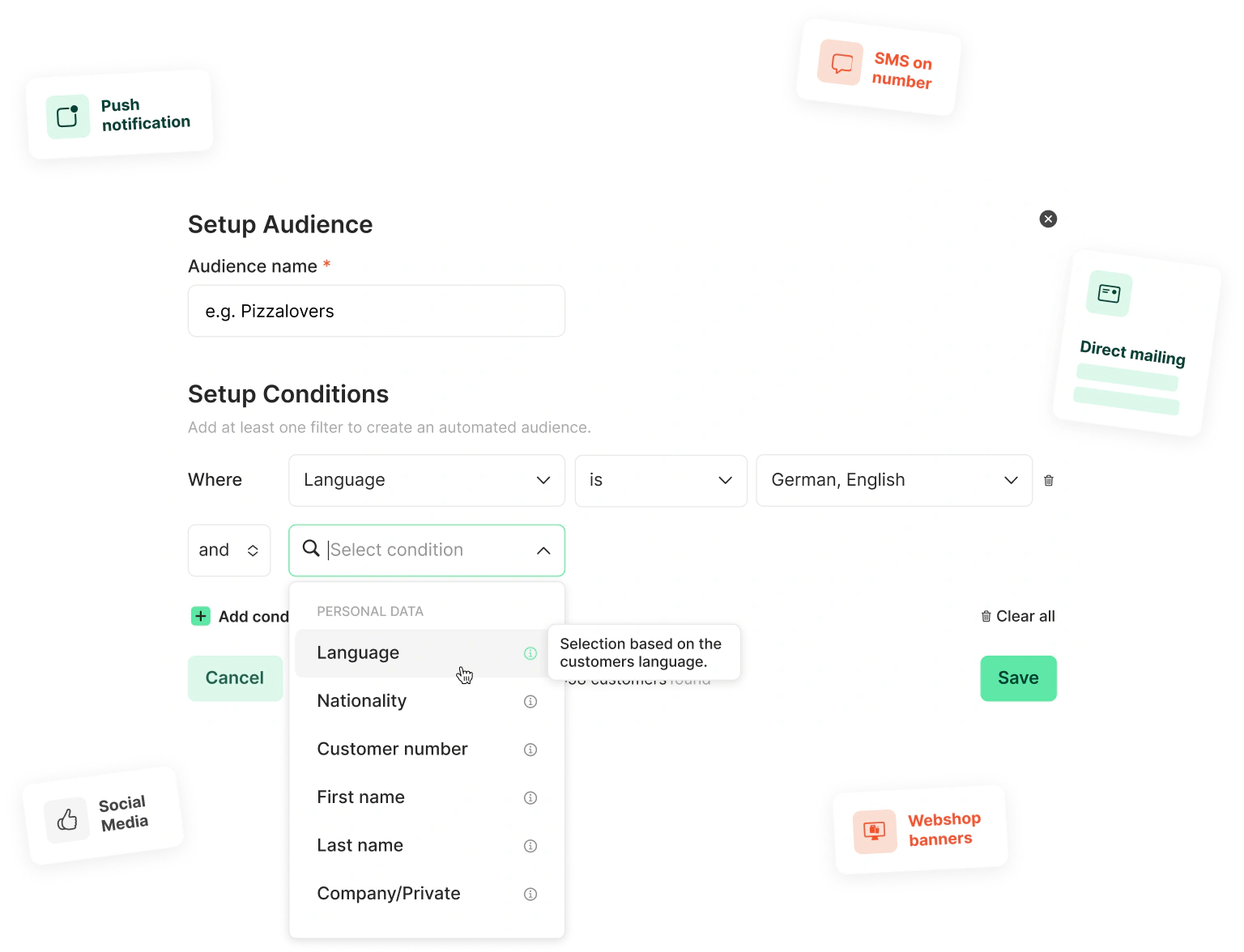
Customers can segment their audience to create targeted campaigns, making their marketing more focused and effective.
Email builder.
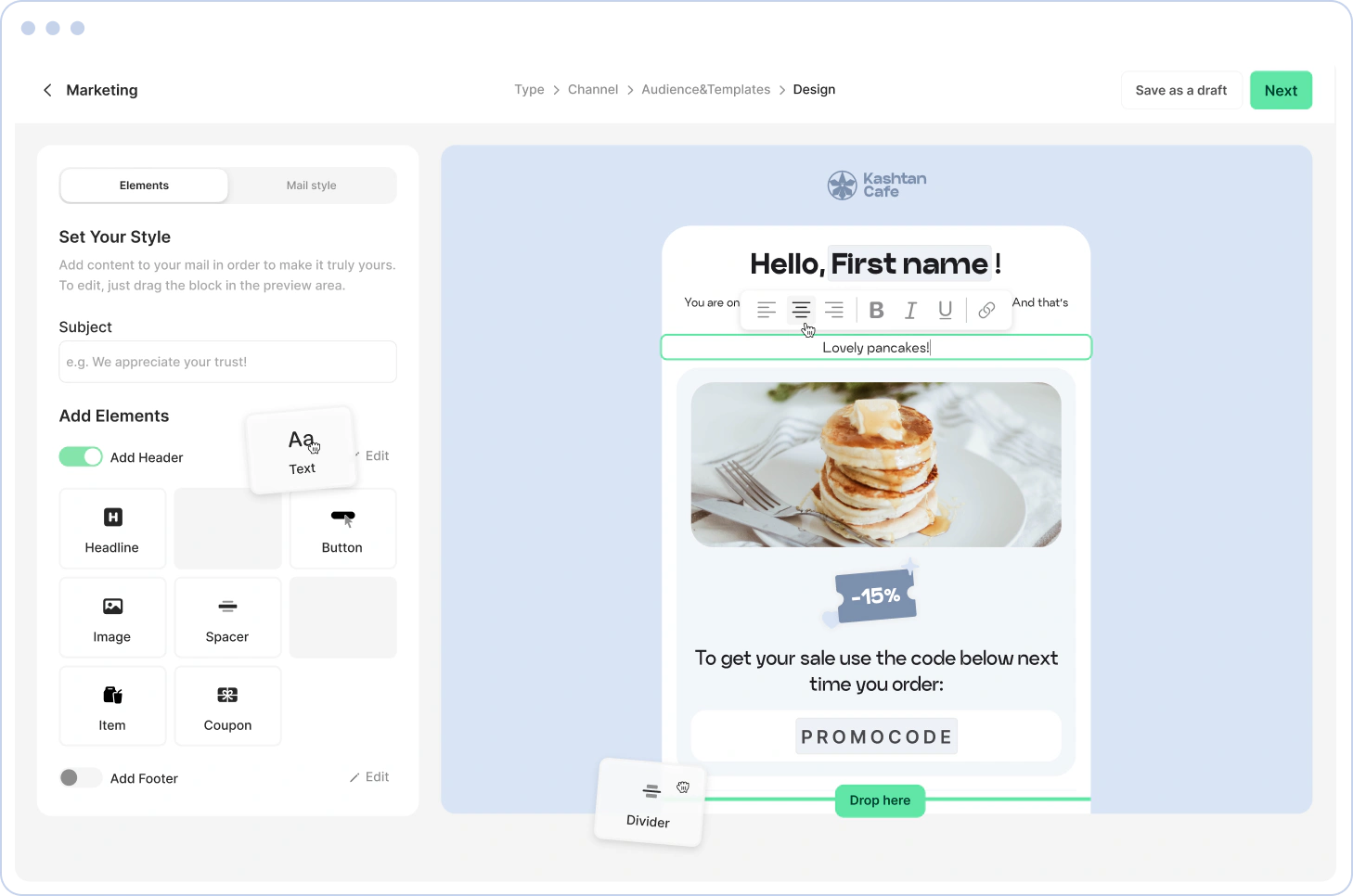
Customers can create emails by customizing branding and arranging blocks in any sequence. This tool gives users the flexibility to design emails that align with their marketing goals.
Campaign customization.
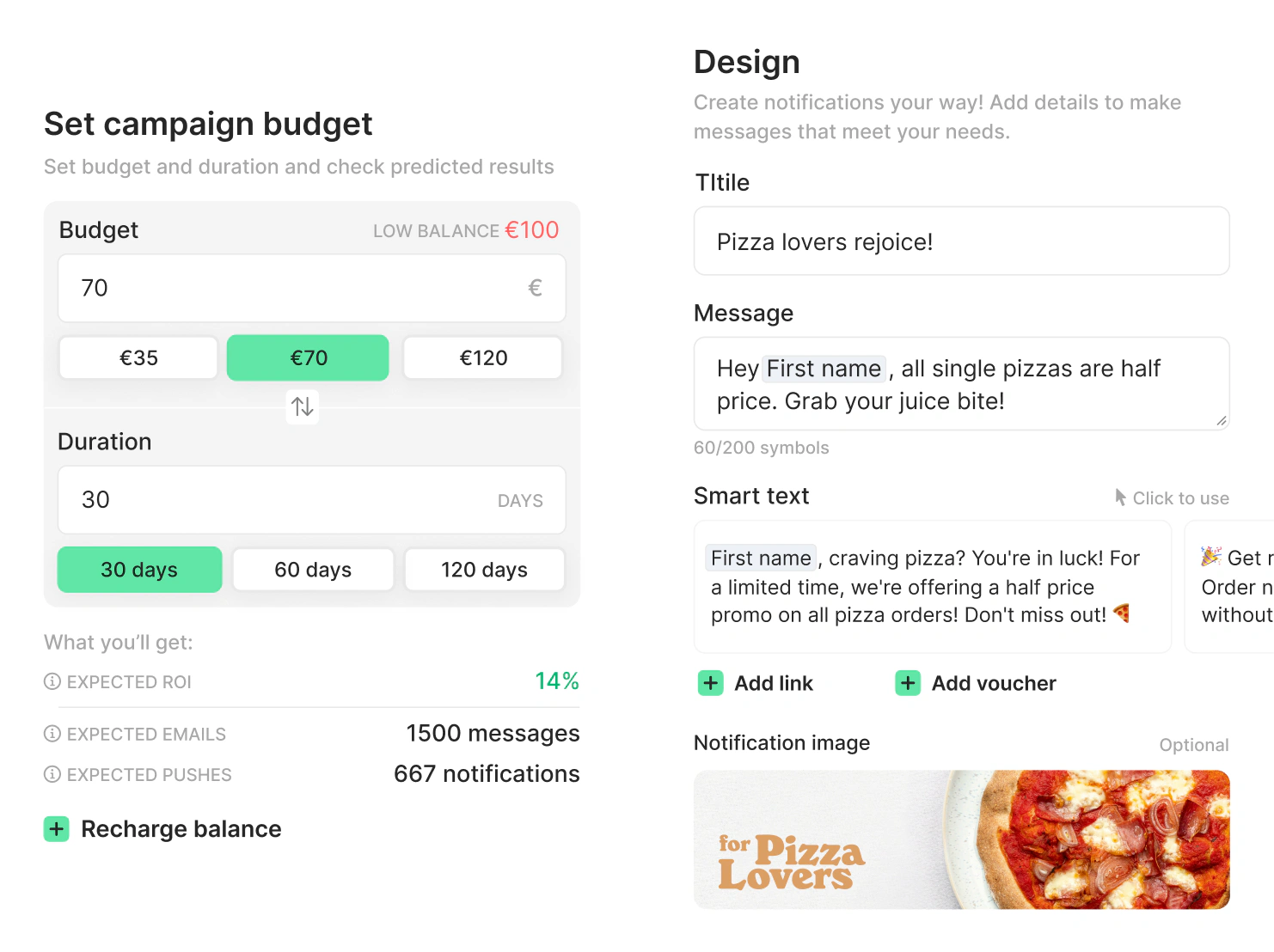
Customers can set budgets, see ROI predictions, and get AI text suggestions. It gives users full control over costs, helps evaluate efficiency, and provides ideas for impactful messaging.
Result.
We increased the efficiency of the onboarding flow, improved feature adoption of core features, and top clients reported higher satisfaction with the redesigned experience. Additionally, new sub-products helped to cover the needs of new and existing users.